Device Containment

Contain at-risk devices without destroying data

Device Containment instantly restricts access to at-risk devices and data while preserving visibility and control — and is fully reversible once the incident is resolved.

Second

to first response

Zero

data destroyed

Reversible

on resolution

The problem

Device compromise is a certainty. Remote wipe is a poor response.

With hundreds or thousands of endpoints in the field, loss, theft, and compromise aren't rare exceptions — they're a routine, high-volume category of incident.

For years, the default response has been remote wipe — a legacy answer that destroys data, delays response, and eliminates the visibility that matters most during an active incident.
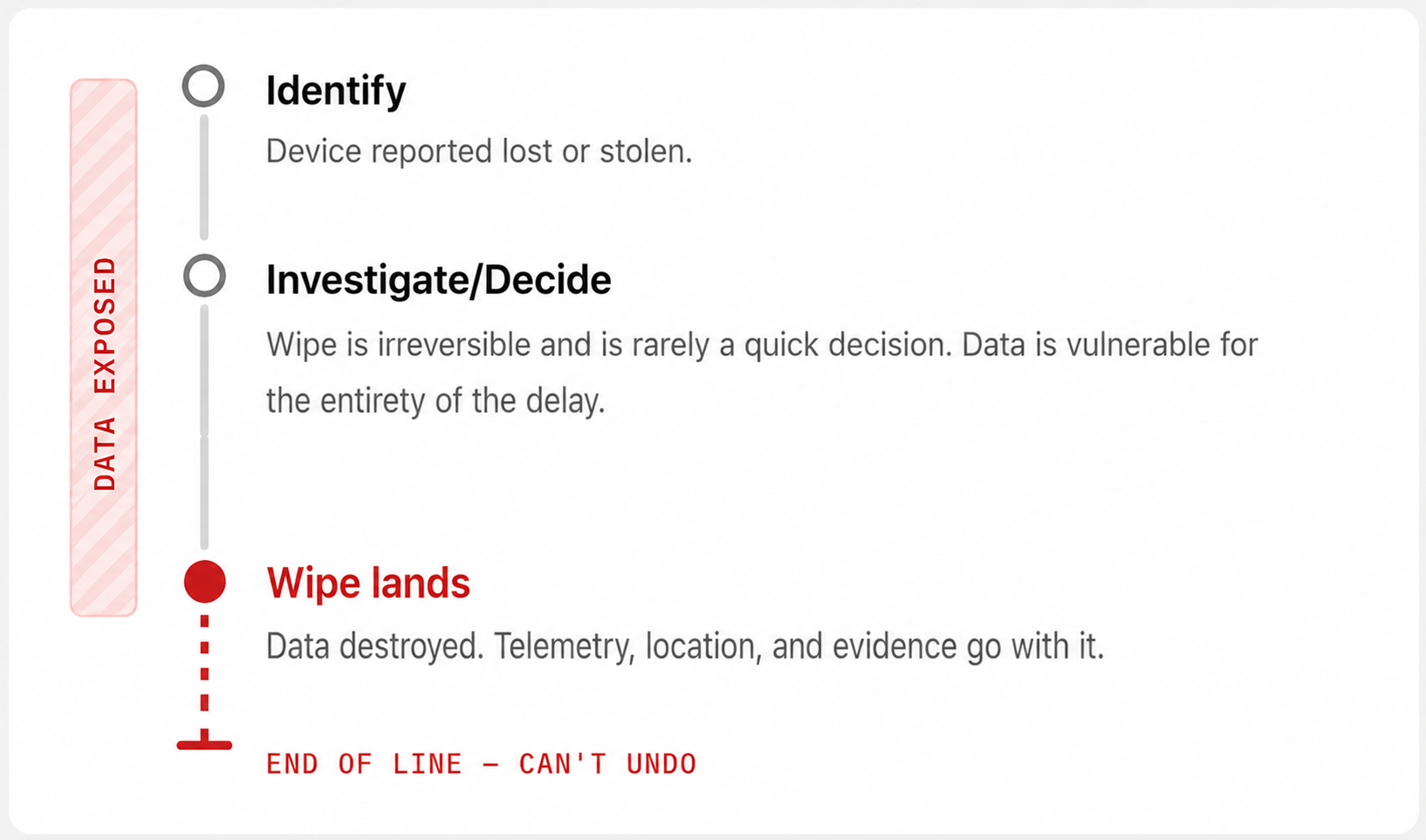
Where the legacy response falls short
Laptop locked at boot by Tether Device Containment
DATA EXPOSED

Identify

Laptop reported lost or stolen.

Investigate/Decide

Wipe is irreversible and is rarely a quick decision. Data is vulnerable for the entirety of the delay.

Wipe lands

Data destroyed. Telemetry, location, and evidence go with it.

END OF LINE — CAN'T UNDO

There's a better way to respond — without destroying data.
The solution

Protection without destruction

Containment turns device incident response into a repeatable and non-destructive operation: restrict access instantly, keep the device visible and controllable for the whole lifecycle, and unwind cleanly when the incident closes — the same way every time, on one device or a thousand.

Incident lifecycle

REVERSIBLE — CONTAINMENT UNWINDS

DATA SECURE

01 · Identify

Laptop reported lost or stolen, or detected out-of-policy. Containment can be initiated on-demand or automatically by policy.

02 · Contain

Emergency Encryption seals sensitive data, and the OS is locked at preboot.

03 · Investigate

Location, hardware, and containment telemetry stay live.

04 · Reauthorize or retire

Reauthorize the laptop, or keep it contained indefinitely.

EXPOSED DATA SECURE REVERSIBLE — CONTAINMENT UNWINDS 01 Identify 02 Contain 03 Investigate 04 Reauthorize or retire

Step 01 of 04

Identify

Laptop reported lost or stolen, user terminated, or device detected out-of-policy.

Data

Vulnerable

Visibility

Live

OUT OF ZONE 09:14 10:02 11:37 12:05 NOW ACCESS REAUTHORIZED

Instant containment

Restrict access in seconds without destroying a single byte.

Continuous visibility

Keep location, hardware, and containment state through the whole incident.

Flexible resolution

Reauthorize, hold, or write off — decided with facts, not guesses.

How it works

Lock the data, lock the machine.

Both controls are reversible, so you can act immediately — on-demand or by policy — and undo the moment the incident closes.

PREBOOT LOCK · ENTER UNLOCK PASSWORD

/Users/j.reyes/Documents

HOVER A CONTROL TO SEE ITS EFFECT

Emergency Encryption

Seals at-risk data with an out-of-band encryption layer, independent of BitLocker or FileVault. Emergency encryption can be used to protect assets that don't have full disk encryption enabled, or as an extra protection layer on assets that do. It is reversible once an incident resolves.

OS-level lockout

Locks the operating system at the preboot level with a custom message and unlock password, so the device is unusable to whoever holds it — and usable again the moment you say so.

Fully reversible

Respond instantly and aggressively — the undo path removes the risk window that remote wipe forces on you.

Manual or automated

Contain in real time from the console, or automatically via geofence and Offline Curfew triggers.

Proof of compliance

Hardware, location, and containment records per event, with preset or custom reports for audit.

Ready to see it on your fleet?

Triggers & automation

Automatic protection, on every shift

Contain a laptop the moment it crosses into a no-go zone, or a desktop the moment it leaves its assigned facility. Have devices self-contain when they've been dark too long. Containment gives your SOC a response that fires without an analyst in the loop.

Geofence triggers

Define restricted areas — borders, competitor sites, high-risk regions — and contain devices that enter them. Or contain assets that leave an assigned facility without authorization.

See Geofences & Curfews →

Offline curfew

Devices that go dark longer than policy allows contain themselves — locally, with no connectivity required.

See Geofences & Curfews →

Location spoofing detection

Coming soon

Contain devices attempting to mask their true location via VPN, proxy, or GPS manipulation.

case study
Global manufacturer, ~6,000 employees

Offline Curfew enforced containment within seconds of the threshold — no analyst in the loop.

Incident

An employee-assigned laptop was not returned following a regional reduction-in-force.

Response

Device Containment was automatically enforced within seconds of the Offline Curfew threshold, immediately restricting local access while preserving visibility and administrative control.

Outcome

The device remained protected throughout the investigation and was ultimately recovered without data loss or destructive action.

Compare incident responses

What a modern response looks like

Remote wipe makes you choose between waiting and destroying. Containment removes the dilemma and accelerates your response.

Remote wipe
Destructive · one-way
Waits on certainty you rarely have, then destroys the evidence with the data.
Needs the device to reconnect before anything happens at all.
Ends with an untraceable asset and an unknown exposure status.
Dimension
Remote Wipe
Device Containment
Initial response
Delayed by assessment
Immediate control
Action type
Destructive
Non-destructive
Control during incident
Lost after wipe
Continuous
Visibility
Lost after wipe
Fully retained
Reversibility
None
Fully reversible
Command delivery
Requires device reconnect
Policy-driven execution
Operational flexibility
Single irreversible path
Multiple resolution paths
Systemic risk
Centralized destructive capability with a single point of failure
Centralized non-destructive capability, reversible
Business outcome
Device untraceable, exposure status unknown
Device traceable, recovered, or safely written off
faq

Device Containment FAQ

Still have questions? Talk to us →
Why not just wipe the device immediately?
+

Wiping requires certainty about who has the device, whether it will be returned, and what data or evidence disappears with it. That need for certainty is what delays action — and the device stays at risk the whole time.

How does Device Containment work?
+

It combines device access controls with Emergency Encryption to restrict access to data immediately while preserving visibility, recovery options, and administrative control. As the incident evolves you can recover, reauthorize, or write off the device.

What if the device is offline?
+

Policies such as Offline Curfew are enforced locally on the device and need no connectivity. Controls that depend on external context, like geofences, are enforced when the device reconnects.

Does this add operational overhead?
+

No. Containment reduces manual decision-making by enforcing predefined response policies automatically.

Is containment redundant with MDM?
+

No. MDM handles device administration and policy management. Containment enables immediate, policy-based control of at-risk devices, extending security to the physical layer — beyond software, identities, and access.

Stop choosing between waiting and wiping.

Contain your first at-risk device in minutes. No destructive commands required.

No credit card to start · No obligation
Try for free

Your 30-day free trial is fully functional and converts to a full production account upon purchase - nothing to uninstall or reinstall from the trial. We verify each request before opening an account.

Thank you!

Your request has been received. We'll get back to you today.

Oops! Something went wrong while submitting the form.
Book a demo

Ask anything about how the Device Trust Platform works.

Thank you!

Your request has been received. We'll get back to you today.

Oops! Something went wrong while submitting the form.
Talk to us

Ask anything about how the Device Trust Platform works.

Thank you!

Your request has been received. We'll get back to you today.

Oops! Something went wrong while submitting the form.